A slow website rarely announces itself. Nobody emails to say they gave up waiting for your homepage. They just leave, and you never find out who they were.
That’s why speed is a money problem before it’s a technical one. If your WordPress site drags, it’s quietly costing you enquiries, sales and visibility in search. Here’s what the research says, what usually causes a slow WordPress site, and how to fix it properly.
What a slow site costs you
Fewer people get past the first page
Google’s own research on mobile pages found that as load time goes from one second to ten, the probability of a visitor bouncing rises by 123%. An earlier Google analysis found that 53% of mobile visits are abandoned when a page takes longer than three seconds to load. The data is from 2016 to 2018, but the point stands: people won’t wait.
Fewer of them buy or enquire
In 2019, Google commissioned 55 and Deloitte to measure what small speed gains do to real revenue. The study, Milliseconds Make Millions, tracked 37 European and American brand sites across more than 30 million sessions. When mobile sites got 0.1 seconds faster across four speed measures, retail conversion rates rose by 8.4% and travel conversion rates by 10.1%. Lead generation sites saw more visitors progress to the enquiry form.
Google notices too
Google measures real-world page experience through three Core Web Vitals:
Largest Contentful Paint (LCP): how quickly the main content loads. Good is 2.5 seconds or less.
Interaction to Next Paint (INP): how quickly the page responds when someone taps or clicks. Good is 200 milliseconds or less.
Cumulative Layout Shift (CLS): how much the page jumps around as it loads. Good is 0.1 or less.
INP replaced First Input Delay in March 2024, so a speed check from before then is out of date. Google’s Search documentation recommends good Core Web Vitals for success in Search and says they line up with what its core ranking systems reward. Speed won’t rescue weak content, but a slow site gives competitors with equally good content an easy edge.
How to check your own site
You don’t need a developer to find out where you stand.
PageSpeed Insights (pagespeed.web.dev) tests a single page on mobile and desktop. The field data at the top shows how real Chrome users experienced the page over the last 28 days. The lab score below simulates a mid-range phone on a mobile network; 90 or above shows green.
The Core Web Vitals report in Google Search Console shows the same real-user data across your whole site, grouped into Good, Needs improvement and Poor, with mobile and desktop reported separately. It shows which types of page are dragging the site down.
Test your key pages, not just the homepage: services, pricing, contact and your best-performing blog posts.
What usually slows a WordPress site down (and how to fix it)
1. Heavy page builders and bloated themes
Multi-purpose themes and drag-and-drop builders load code for hundreds of features you’ll never use, on every page. This is the most common cause we see, and it’s why so many sites look the same and feel the same: sluggish. The real fix is a lean, custom theme built for what your site actually needs. Short of a rebuild, strip out unused builder modules and theme features.
2. Too many plugins
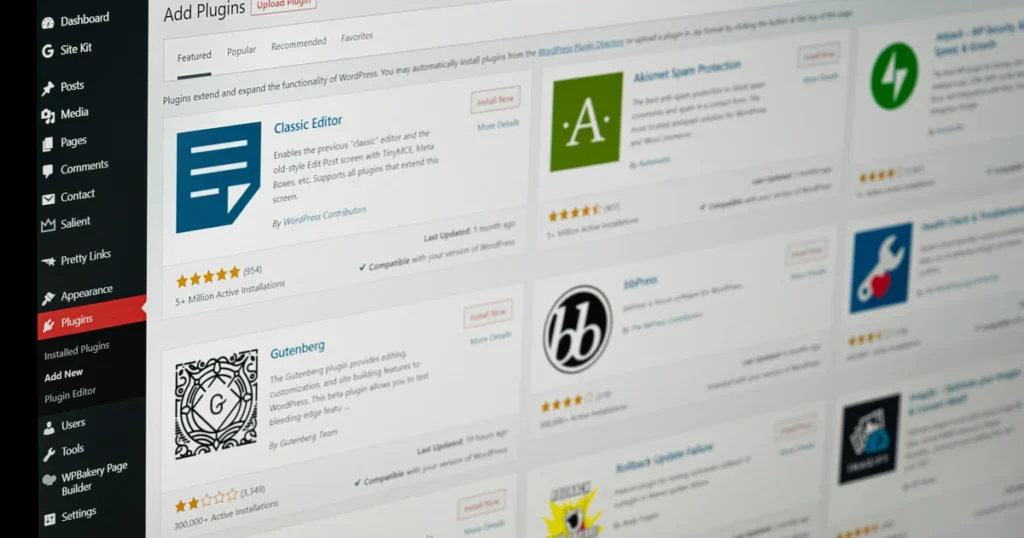
Every plugin adds code, and some load scripts on every page whether they’re needed or not. Audit them. Delete anything inactive, replace overlapping plugins with one that does the job.
3. Unoptimised images
Uploading a 5MB photo straight from a camera is still one of the quickest ways to wreck LCP. Resize images to the size they’re displayed, compress them, and use modern formats. WordPress has supported WebP for some time and added AVIF support in version 6.5, provided your server’s image library supports it. Lazy-load images further down the page, but not the main image at the top.
4. Self-hosted video
Video files are huge, and autoplaying one from your media library loads your server and your visitor’s connection. Host video on a dedicated platform, and show a lightweight preview image that only loads the player when someone clicks play.
5. No caching or CDN
Without caching, WordPress rebuilds each page from scratch for every visitor. Page caching serves a ready-made version instead. A content delivery network (CDN) stores your files on servers closer to your visitors, so someone in Manchester isn’t waiting on a server on another continent.
6. Cheap hosting
Bargain shared hosting puts your site on a crowded server, and no plugin can fix that. If your server response time is poor, better hosting is often the single biggest improvement you can make.
7. Third-party scripts and tracking tags
Chat widgets, heatmaps, pixels, social feeds and old tracking tags pile up. Each competes for the visitor’s browser and can hurt INP. List every third-party script on the site, remove what nobody looks at any more, and delay the rest until after the page has loaded.
8. Outdated WordPress and PHP
WordPress currently recommends PHP 8.3 or greater, and warns that end-of-life versions may expose your site to security vulnerabilities. Check your version under Tools, then Site Health, and ask your host to upgrade. Test on a staging copy first.
A faster site is usually a lower-carbon one
Every kilobyte your site sends has to be stored, transmitted and processed, and that takes energy. Tools like Website Carbon start from exactly that: how much data a page transfers. So the work that makes your site faster, lighter images, less code, fewer scripts, also tends to cut its carbon footprint. You can read more about how we approach this on our sustainability page.
How we build for speed
Every site we build passes Core Web Vitals, is green on PageSpeed for mobile and desktop, and scores at least an A on Website Carbon. We do that with custom WordPress builds rather than bloated themes, because speed is far easier to build in than to bolt on later. See how we approach website design and build.
If your site needs more than a tidy-up, a full rebuild is a bigger decision, and that’s what our N0BS Diagnostic is for: a written brief, a sitemap and a firm price before you commit to anything.
Not sure whether your site needs fixing or rebuilding? Get in touch and we’ll tell you straight.
Sources
Google / web.dev (commissioned from 55 and Deloitte), “Milliseconds make millions”, page last updated 2020 (data collected late 2019). https://web.dev/case-studies/milliseconds-make-millions
Google (Think with Google), Daniel An, “Find out how you stack up to new industry benchmarks for mobile page speed”, 2018 (bounce figure: Google/SOASTA Research, 2017). https://business.google.com/ca-en/think/marketing-strategies/mobile-page-speed-new-industry-benchmarks/
Google (Think with Google), “Mobile page speed new industry benchmarks” (PDF), 2017 (53% stat: Google Data, n=3,700 aggregated Google Analytics data, March 2016). https://thinkwithgoogle.com/_qs/documents/57/mobile-page-speed-new-industry-benchmarks.pdf
Google Search Central, “Understanding Core Web Vitals and Google search results”, accessed November 2026. https://developers.google.cn/search/docs/appearance/core-web-vitals
web.dev, Jeremy Wagner and Rick Viscomi, “Interaction to Next Paint becomes a Core Web Vital on March 12”, 2024. https://web.dev/blog/inp-cwv-march-12
Google Search Console Help, “Core Web Vitals report”, accessed November 2026. https://support.google.com/webmasters/answer/9205520?hl=en-GB
Google for Developers, “About PageSpeed Insights”, accessed November 2026. https://developers.google.com/speed/docs/insights/v5/about
WordPress.org, “Requirements”, accessed November 2026. https://wordpress.org/about/requirements/
Make WordPress Core, “WordPress 6.5 adds AVIF support”, 2024. https://make.wordpress.org/core/2024/02/23/wordpress-6-5-adds-avif-support/
Wholegrain Digital, Website Carbon Calculator, “How does it work?”, last modified 2025. https://www.websitecarbon.com/how-does-it-work