Most WordPress vs Wix articles are written by someone selling one of them. So is this one, and we’d rather say so up front: we build custom WordPress sites for a living, so weigh our view with that in mind.
That said, we turn away work where Wix is the better answer. Here’s how to tell which one you need.
The short version
Choose Wix if you need a simple, good-looking site live soon, you’ll run it yourself, and you don’t want to think about hosting, updates or security.
Choose WordPress if your website is meant to bring in serious money, you want full control over SEO, integrations and performance, or you want to own everything and be free to move it.
Ownership: can you take your site with you?
This is the biggest difference, and the one founders find out about too late.
Wix is a hosted service. Its own help centre says your site has to run on Wix’s servers. You can take your domain elsewhere, and you can export CMS collections and contacts as spreadsheets, but you can’t export the site itself. Wix also says it isn’t currently possible to export blog posts to other platforms. If you leave, you rebuild.
WordPress is open-source software released under the GPL. You can host it anywhere, change host whenever you like, and its built-in export tool packages your posts, pages, comments and users into a file another WordPress site can import. The site is yours.
What it costs over three years
Platform fees are only part of the bill, but here are the verified figures.
Wix
Wix’s own UK guide (updated October 2026) puts paid plans from £9 a month, billed annually. That’s £324 over three years for the entry plan. But Wix’s plans page shows that taking payments starts on the Core plan, not the entry one, so a site that sells needs a higher tier. Wix shows its prices by location, so check the UK figure for the plan you’d actually need on wix.com/plans. A free domain is included for the first year on most yearly plans, then you pay to renew it.
If you sell through Wix Payments, UK card transactions cost 2.1% plus 20p each.
WordPress
WordPress itself is free. You pay for hosting. As one example, SiteGround’s UK entry WordPress plan renews at £13.99 a month ex VAT (checked November 2026), with a lower first-year offer. Over three years that’s roughly £360 to £504 ex VAT, depending on whether you get the introductory deal. Premium managed hosting costs more: Kinsta’s entry plan is $35 a month on monthly billing.
What neither figure includes
Design, build, content and maintenance. On Wix, the maintenance is mostly your time. On WordPress, someone has to keep the software, plugins and backups up to date, and that’s either you, your developer or a care plan. Price that in before you compare.
Performance and Core Web Vitals
Here Wix has the better average, and we won’t pretend otherwise.
The HTTP Archive’s 2025 Web Almanac found that 74% of Wix sites passed Core Web Vitals on mobile, against 45% of WordPress sites. Locked-down platforms improve fastest because the provider controls the whole stack.
The same chapter is clear about why WordPress varies so much: it’s driven more by configuration than by core limitations. Heavy themes, stacks of plugins and page builders drag the average down. A lean, custom WordPress build doesn’t carry that baggage. Every site we build passes Core Web Vitals and scores at least an A on Website Carbon, but a cheap template on cheap hosting won’t get you there.
So the honest summary: an average Wix site is quicker than an average WordPress site. A well-built WordPress site can beat both.
SEO control
Wix covers the basics well. You can edit meta tags, structured data and, for blog posts and products, the URL structure, with a redirect manager for old URLs. Wix’s help centre warns that changing URL structure is an advanced task that can hurt rankings if done wrong.
WordPress gives you control over everything, because you control the code and the server. For most small sites that difference won’t matter. For a content-led business that lives on organic search, it often does.
Ecommerce
Wix’s store is built in and simple to run on the right plan. WordPress uses WooCommerce, which is free, has more than seven million active installations, and can be shaped to almost any product, subscription or booking model. More flexibility, more to look after.
Integrations
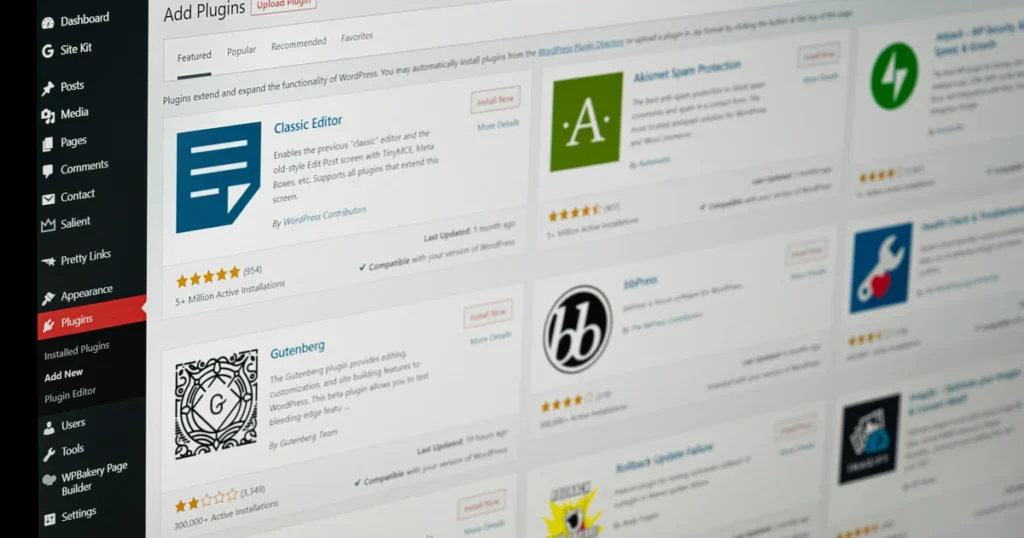
The Wix App Market lists more than 500 apps. The WordPress plugin directory lists more than 78,000 free plugins, before you count paid ones and custom code. If your business runs on a particular CRM, booking system or automation, check it connects properly before you choose.
AI site builders
Both now have AI built in. Wix’s Harmony editor and its Aria agent can generate pages, sections and copy from a plain-language description, and they’re included on every plan, including the free one.
WordPress 7.0, released in May 2026, added an AI Client to core and a Connectors screen, so you choose which AI provider your site talks to.
Either way, AI gets you a first draft quickly. It doesn’t give you a positioning, an offer or a reason for someone to pick you over the next person. That’s why so many AI-built sites look the same.
Who maintains it, and security
With Wix, the platform is Wix’s job. You don’t patch anything.
With WordPress, maintenance is your job or your developer’s. Patchstack recorded 11,334 new vulnerabilities in the WordPress ecosystem in 2025. Only six were in WordPress core; 91% were in plugins. Almost half had no fix from the developer by the time they were made public. Keep plugins few, updated and well chosen, and WordPress is a solid platform. Ignore it, and it’s a risk.
So which should you choose?
Wix is the right answer if you’re testing an idea, running a simple brochure site, or have more time than budget and want to keep everything in one place.
WordPress earns its extra cost when your website is a sales asset: when conversion, search traffic and integrations directly affect revenue, and when you want to own what you’ve paid for.
If you’re weighing up a WordPress build, see how we approach website design and build, or use the Instant Quote tool on our pricing page for a rough range. And if Wix is the better fit, we’ll tell you.
Sources
Wix Help Center, “Exporting or Embedding Your Wix Site Elsewhere”, accessed November 2026. https://support.wix.com/en/article/exporting-or-embedding-your-wix-site-elsewhere
Wix Help Center, “Wix Blog Request: Exporting Blog Posts to Other Platforms”, accessed November 2026. https://support.wix.com/en/article/wix-blog-request-exporting-blog-posts-to-other-platforms
Wix Help Center, “CMS: Exporting Content from Your Collection”, accessed November 2026. https://support.wix.com/en/article/exporting-your-content-from-a-collection
WordPress.org, “License”, accessed November 2026. https://wordpress.org/about/license/
WordPress.org Documentation, “Tools Export screen”, accessed November 2026. https://wordpress.org/documentation/article/tools-export-screen/
Wix Blog, “Best website builders UK (2026): compare features, pricing and use cases”, published 13 July 2026, updated 20 October 2026. https://www.wix.com/blog/best-website-builders-uk
Wix, “Wix Pricing Information” (plans page), accessed November 2026 (shows USD reference prices; states prices and currency vary by location). https://www.wix.com/plans
Wix Help Center, “Wix Payments: Service Fees”, accessed November 2026. https://support.wix.com/en/article/wix-payments-service-fees
SiteGround UK, “Hosting for WordPress”, accessed November 2026. https://www.siteground.co.uk/wordpress-hosting.htm
Kinsta, “Managed WordPress Hosting Pricing”, accessed November 2026. https://kinsta.com/pricing/
HTTP Archive, Web Almanac 2025, “CMS” chapter (Vahe Arabian et al.), published January 2026. https://almanac.httparchive.org/en/2025/cms
Wix Help Center, “Customizing Your SEO Settings”, accessed November 2026. https://support.wix.com/en/article/customizing-your-seo-settings-1420929
Wix Help Center, “Customizing your Page’s URL Structure in SEO Settings”, accessed November 2026. https://support.wix.com/en/article/customizing-your-pages-url-structure-in-seo-settings
WordPress.org Plugins, “WooCommerce”, accessed November 2026. https://wordpress.org/plugins/woocommerce/
Wix App Market, accessed November 2026. https://www.wix.com/app-market
WordPress.org, Plugin Directory, accessed November 2026. https://wordpress.org/plugins/
Wix Blog, “How much does Wix Harmony cost in 2026?”, published 21 January 2026, updated 20 October 2026. https://www.wix.com/blog/how-much-does-wix-harmony-cost
WordPress.org News, “WordPress 7.0 ‘Armstrong'”, 20 May 2026. https://wordpress.org/news/2026/05/armstrong/
Patchstack, “State of WordPress Security in 2026” (whitepaper, 2025 data), 2026. https://www.patchstack.com/whitepaper/state-of-wordpress-security-in-2026/